Midnight Echo
00:00 / 4:15Click or drag waveform to seek. Use M/S to mute or solo.
 MusicBento
Choose a source song, select the stem count your project needs, then let the AI separate, preview, balance, and prepare every track for download.
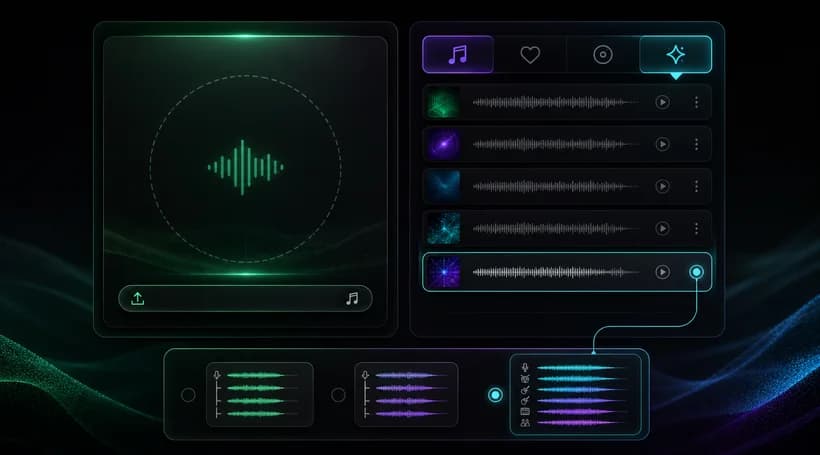
Upload a supported audio file or choose an eligible track from My Music as the source for stem separation.
Choose 4-Stem, 6-Stem, or All Detected Stems based on your plan, source eligibility, and production needs.
Start the task, then preview, balance, mute, solo, and download the separated tracks when processing is complete.
Explore an AI stem splitter designed for flexible music production. MusicBento combines 4-Stem, 6-Stem, and All Detected Stems modes with source selection, background processing, waveform playback, track controls, organized results, and practical downloads in one workspace.
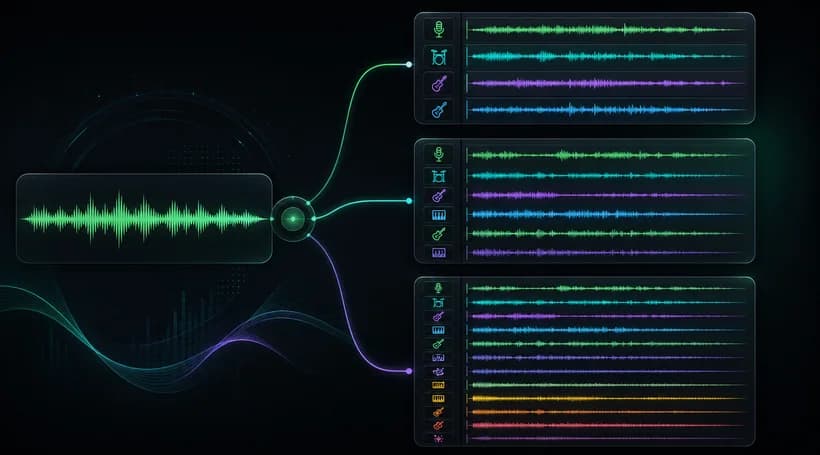
Use 4-Stem Split for vocals, drums, bass, and other; 6-Stem Split adds guitar and piano; All Detected Stems can return up to 12 tracks. Each mode shows its Credit cost, plan requirement, and source restrictions before processing actually begins.
Upload an MP3, WAV, OGG, M4A, AAC, or FLAC file, or choose an eligible track from My Music. Standard 4-Stem and 6-Stem modes accept uploads, while All Detected Stems requires a compatible AI-generated song with valid provider data already available.
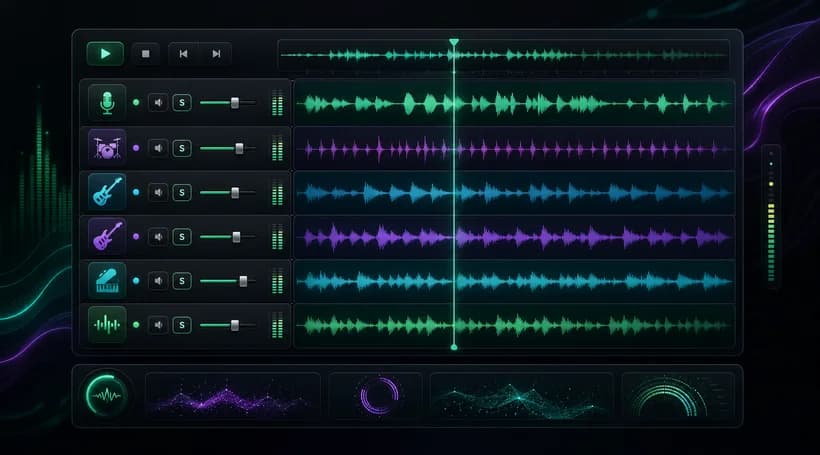
Open a completed result to preview every stem on its own waveform, seek through the song, and compare the combined mix. Adjust gain from minus 12 to plus 6 decibels, then use Mute or Solo to focus on specific instruments.
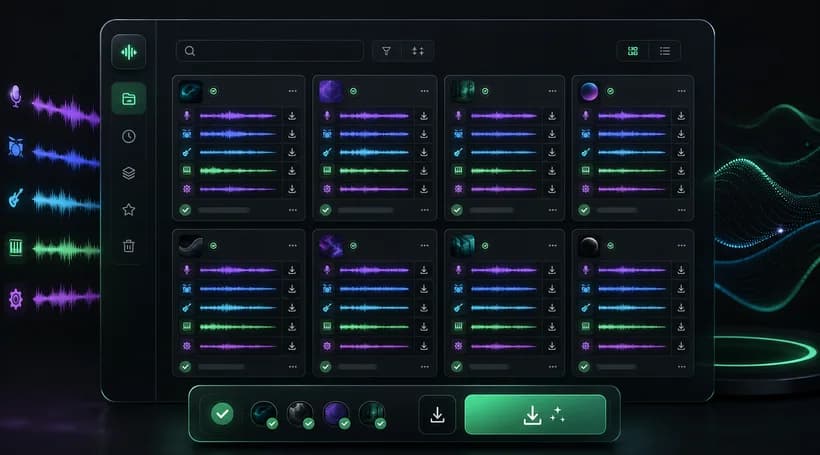
Keep recent stem separation tasks together in the results list, search or sort completed work, and return to earlier sessions later. Download one stem or every available track as MP3 or WAV when your current plan includes music download access.
Visitors can explore the interactive examples without signing in. Running a separation requires an account and enough Credits: 4-Stem currently costs 6 Credits, 6-Stem costs 8 Credits, and All Detected Stems costs 50 Credits for each task.
4-Stem creates vocals, drums, bass, and other. 6-Stem adds separate guitar and piano tracks. All Detected Stems can return up to 12 available vocal and instrument parts, depending on what the compatible AI-generated source contains for separation.
Plan limits determine the largest mode you can select: Free supports up to 4-Stem, Creator up to 6-Stem, and Pro or Studio up to 12-Stem. If a mode exceeds your plan, selecting it opens the upgrade flow.
The uploader accepts MP3, WAV, OGG, M4A, AAC, and FLAC files up to 100 MB. Source audio must be at least 3 seconds long and no more than 8 minutes, and invalid or unsupported files are rejected before processing.
All Detected Stems only accepts compatible AI-generated songs that include the provider identifiers required by the separation service. Uploaded files and mock-generated songs cannot use this mode, although they can remain eligible for the standard 4-Stem or 6-Stem options.
Each completed result opens a multi-track player with real waveforms and synchronized playback. Adjust any stem from minus 12 to plus 6 decibels, use Mute or Solo, and listen to the combined mix before choosing what to download.
Processing time depends on the source length, selected mode, and current provider load, so there is no fixed completion time. Started tasks stay visible in your results with status updates and can finish in the background after you leave the page.
Finished stems can be downloaded individually or together in MP3 or WAV from the result dialog. Download availability follows the current account plan, and you remain responsible for having permission to process, remix, distribute, or commercially use the source and outputs.
Choose a song, select the right stem mode, and separate vocals and instruments into organized tracks you can preview, balance, and download for production workflows.